

A website used to be optional for many small businesses. Today, it’s often the first place a potential customer looks before calling, booking an appointment, or visiting in person. Good small business website design is about more than looking professional. Your website needs to load quickly, work on phones, explain what you offer, and make it easy for customers to take the next step.
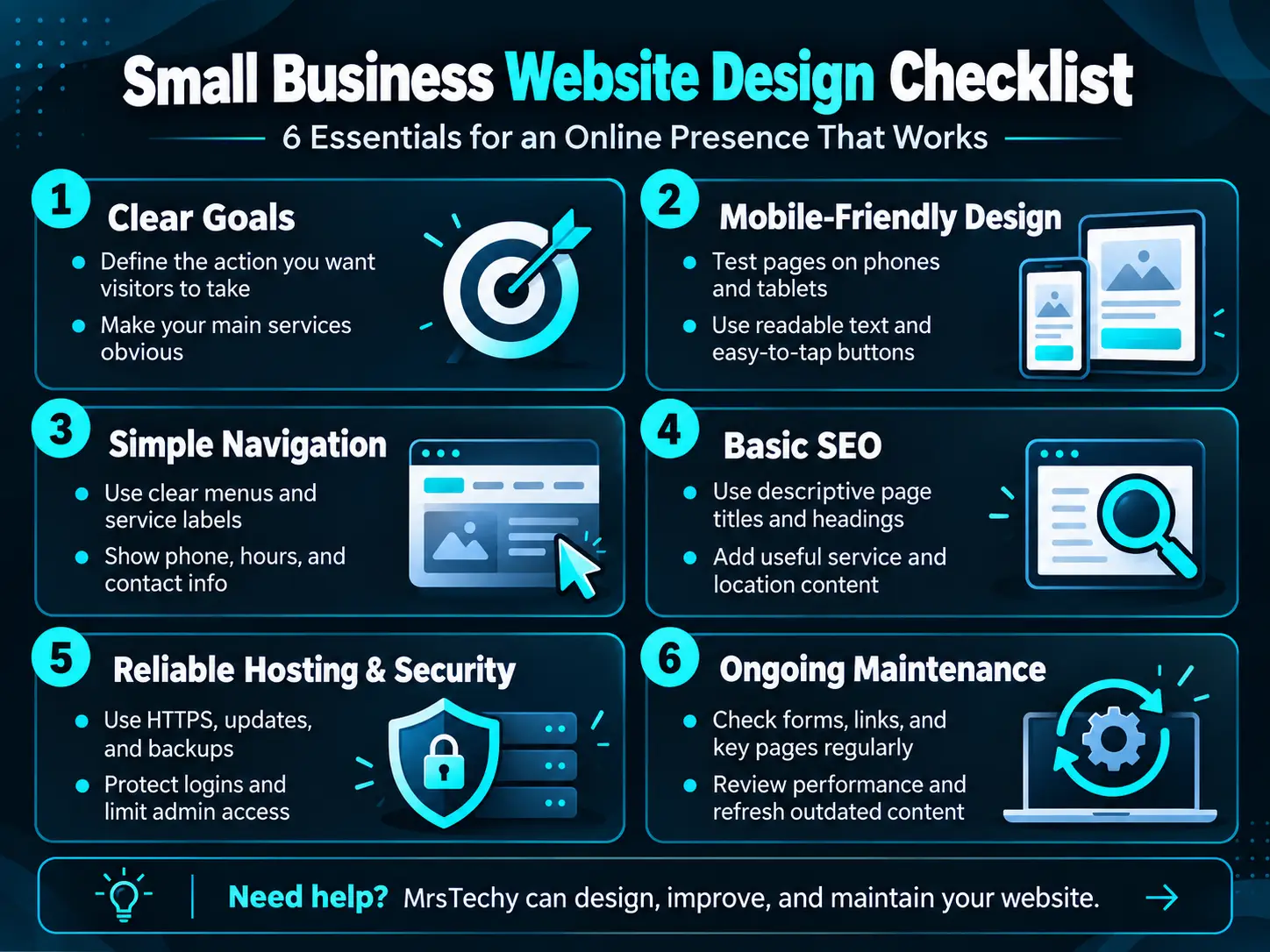
Here are six essentials for building an online presence that actually works for your business.
Small Business Website Design Starts With Clear Goals
Before choosing colors, layouts, or images, decide what your website needs to accomplish. Do you want customers to call, request an estimate, book an appointment, visit your store, or purchase a product?
Your homepage should explain what your business offers, who you serve, and how customers can reach you. Give visitors a clear next step instead of making them search through several pages.
Effective website design for small businesses doesn’t require an enormous website. A smaller, well-organized site with useful information can be more effective than a complicated one that leaves visitors confused.
Make Your Website Fast and Mobile-Friendly
A mobile-friendly business website should be easy to use on both phones and desktop computers. Buttons that are difficult to tap, tiny text, oversized images, and confusing navigation can prevent visitors from contacting you.
Test your website on actual mobile devices. Check whether pages load promptly, text is readable, images display correctly, and important buttons are easy to use.
Website performance matters, too. Properly sized images, efficient hosting, sensible caching, and avoiding unnecessary plugins can improve loading speed.
Visitors shouldn’t have to wait for a slow page or struggle with a menu just to find your phone number. A fast, mobile-friendly website provides a smoother experience, especially when potential customers are searching while away from home.
Make Navigation and Contact Information Simple
Visitors should be able to understand what you do within seconds.
Use clear navigation labels, concise service descriptions, and accurate business information. Display your phone number, service area, and business hours where customers can find them easily.
Make important actions obvious. Depending on your business, that could mean a Call Now button, a contact form, an appointment request, or directions to your location.
Review every page from the perspective of a first-time visitor. Can someone quickly find the information they need? Does your website answer common questions before the customer has to call?
An outdated website with incorrect hours, discontinued services, or a perpetual “coming soon” page can undermine customer confidence. Clear, accurate information helps turn interest into genuine inquiries.
Help Customers Find Your Business With SEO
Even a beautifully designed website has limited value if potential customers cannot find it.
Search engine optimization, or SEO, helps search engines understand your pages and helps relevant visitors discover your business.
Start with descriptive page titles, useful service information, well-organized headings, and natural language that reflects what your customers actually search for.
Local businesses should also make their service areas and location information clear. When appropriate, keep your Google Business Profile accurate and consistent with your website.
Google’s SEO Starter Guide offers additional practical guidance on organizing website content and helping search engines understand it.
Effective SEO isn’t about stuffing keywords into every paragraph. It’s about making your website useful, relevant, and easy to navigate.
Choose Reliable Hosting and Protect Your Website
Your website needs reliable hosting to remain available when customers want to reach you.
Look for hosting that supports your website’s performance, provides appropriate security features, and offers dependable backups and recovery options.
Use HTTPS, keep your software updated, enable appropriate account security, and limit administrative access to people who actually need it.
If your website runs on WordPress, its themes and plugins also require attention. Outdated components can introduce compatibility problems and security vulnerabilities.
Think about who will handle technical issues when something goes wrong. A website is an ongoing business asset, not simply a project that ends when it launches.
Maintain Your Website and Know When to Improve It
Regular small business website maintenance helps keep your online presence accurate, secure, and useful.
Set aside time to review important pages, submit your own contact forms, test mobile navigation, check for broken links, and confirm that your business information is current.
Review website performance and visitor behavior where appropriate. If customers struggle to find information or rarely complete your contact form, improvements may be needed.
Not every website needs to be rebuilt from scratch. Sometimes better navigation, refreshed content, improved performance, or updated hosting can make a significant difference.
If your current website is difficult to maintain, looks outdated on mobile devices, or no longer supports your business goals, consider a professional review before deciding whether to repair, redesign, or replace it.
Make Your Website Work for Your Business
These small business website tips can help you create an online presence that supports your customers and business goals. Building a strong website doesn’t require a massive budget or a background in web design. It requires clear objectives, practical technical decisions, and ongoing attention.
MrsTechy helps small businesses create new websites and improve existing ones, with website design, hosting, and ongoing maintenance services focused on usability and business needs.
Explore our website services or contact MrsTechy to discuss your current website, a planned redesign, or a new online presence.